Thursday, November 05, 2009

Smalltalk Sophie XUL in 3D for Croquet / Krestianstvo space description - разметка пространства в 3D

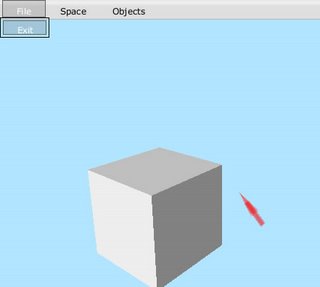
In this post I want to show, how the Sophie's 1.x (the true project, based on Smalltalk and not Java's one) XUL 2D logic for describing Tweak interfaces, could be used for describing 3D content of the Croquet spaces naturally.
Now it is included in Krestianstvo SDK, as XUL 3D feature.
To try out and to extend for the concrete needs, check for the recent updates from the SDK.

1. So, one could describe the content in plain XML file/string, like:
КрестьянствоБиблиотека class>>примерXUL3DSpacexml

^'<?xml version="1.0"?>
<krestianstvo3D>
<space name="mySpace">
<imageWindow name="one" src ="checker.png" x="-10" y="0" z="-5"/>
<imageWindow name="two" src ="checker.png" x="10" y="0" z="-5"/>
</space>
<imageWindow name="three" src ="checker.png" x="-10" y="0" z="-5"/>
<space name="mySpaceA">
<imageWindow name="some" src ="checker.png" x="-10" y="0" z="-5"/>
<imageWindow name="other" src ="checker.png" x="10" y="0" z="-5"/>
</space>
<!-- ..etc... -->
</krestianstvo3D>'
2. Then this file is parsed into the real objects, node by node:
Крестьянство3DXulЗагрузчик>>readXmlFrom: xmlNode

|tframeClass tframe|

tframeClass := self croquetFrames at: xmlNode name ifAbsent:[nil].
tframeClass ifNotNil:[tframe := tframeClass new readXmlFrom: xmlNode in: self.].

^tframe
3. Every XML node is parsed according to the methods defined in Крестьянство3DXulЗагрузчик class, for example 'imageWindow' is parsed as TWindow instance:
Крестьянство3DXulЗагрузчик>>readWindowFrame: aFrame from: xmlNode

| attr pic p attrX attrY attrZ matNorm |

(attr := xmlNode attributeAt: 'name') ifNotNil:[
nodeAttributes remove:'name'.
aFrame objectName: attr asSymbol.
].

(attr := xmlNode attributeAt: 'src') ifNotNil:[
nodeAttributes remove:'src'.

p := TRectangle new.
aFrame contents: p.

(attr asString) ifNotNil:[
pic := TTexture new.
pic initializeWithFileName: (attr asString)
mipmap: true
shrinkFit: false.
].
p texture: pic.
aFrame extent: pic extent.].
matNorm := TMaterial new.
matNorm ambientColor: #(0.8 0.8 0.8 0.8).
matNorm diffuseColor: #(0.8 0.8 0.8 0.8).
aFrame rectFront material: matNorm.

"...........ect......"
4. In TWindow class (or any other needed TFrame subclass) we add the method, which points to the method to parse the XML node with:
TWindow>>readFrame3DSpecificFrom: xmlNode in: uiLoader

super readFrame3DSpecificFrom: xmlNode in: uiLoader.
uiLoader readWindowFrame: self from: xmlNode
5. All, recognizable names of XML tags are defined in :
Крестьянство3DXulЗагрузчик class>>croquetFrames

^Dictionary newFrom:
{
#imageWindow ->TWindow.
#space ->TSpace.
#window -> TWindow.
#portal -> TPortal;
"any other stuff"
}
6. Finally, the created instances are serialized on to the shared island:
КрестьянствоОснова>>addTFToSpace: aFrame space: aSpace

| frameData tframe |

frameData := TIslandCopier new export: aFrame.
tframe := TIslandCopier new import: frameData to: self activeIsland.
tframe := aFrame copyOntoIsland: self activeIsland.

tframe future registerGlobal: aFrame objectName.
aSpace future addChild: tframe.
..and appeared in the World for collaborative interaction..


As a note: the Tweak menu bar on the top of the Participant window is described using the native Sophie's XUL 2D logic also.

Thursday, October 01, 2009

self = я or programming / программирование in Krestianstvo


EN: Just want to show, how Russian language is already could be used to program in Smalltalk using Krestianstvo.
Here is a program for building L-systems and drawing them with Pen or any other Object later in Smalltalk (for example Croquet's TObjects in OpenGL).
You will see some fragments of source code in Russian - all are the executable Smalltalk code. The whole version is available here (also it is available in update stream). The changeset (*.cs) or source code (*.st) files, which could contain Unicode symbols (russian here), could be exported or imported into the Krestianstvo system without any trouble.

RU: Представляю вашему вниманию пример, показывающий как уже сейчас можно программировать в среде Крестьянство на Smalltalk используя Русский язык. Мы запрограммируем алгоритм пострения L - систем и их рисования с помощью Карандаша или других объектов в дальнейшем (например Croquet TObjects в OpenGL).
Ниже приведены фрагменты исполняемого кода, полная версия доступна для скачивания здесь (так же в потоке обновлений для системы). Файлы изменений (*.cs) или исходного кода (*.st), содерджащие символы Unicode (в данном случае - русские), могут экспортироваться или импортироваться в систему Крестьянство без ошибок.

Smalltalk in Russian/ Smalltalk'а по Русски
self = я
to: do: = по: делай:
at: = в:
at: put: = в: значение:
ifNotNil:[] = еслиНеПусто:[]
ifTrue:[] = еслиИстина:[]
or:[] = или:[]

L - система (code fragments)/(фрагменты кода)

1. Объявление класса / Creating the class:
Объект подкласс: #ЛСистема
именаПеременныхЭкземпляраКласса: 'предложение наборПравил генерация'
именаПеременныхКласса: ''
глобальныеСловари: ''

категория: 'Математика-ЛСистемы'

3. Метод инициализаци / Initialization
ЛСистема>>определитьЛСистемуАксиома: аксиома наборПравил: набор

я предложение: аксиома.
я наборПравил: набор.
я генерация: 0.

2. Определение метода генерации / Defining the generation method:
ЛСистема>>генерировать

| текущийСимвол строкаЗамены заменаИзПравил следующаяГенерация |

следующаяГенерация := ''.
1 по: предложение размер делай:[:индекс|

текущийСимвол := (предложение в: индекс) какСтрока.
строкаЗамены := '',текущийСимвол.

заменаИзПравил := (я искатьИзНабораПравил: текущийСимвол).
заменаИзПравил еслиНеПусто:[ строкаЗамены := заменаИзПравил].

следующаяГенерация := следующаяГенерация, строкаЗамены.
].

предложение := следующаяГенерация.

генерация := генерация + 1.

4. Рисование / Painting:

ЛСистема>>нарисовать

| символ карандаш длинаЛинии уголПоворота |

карандаш := Карандаш новый.

длинаЛинии := 20.
уголПоворота := 60.

1 по: предложение размер делай:[:индекс|

символ := (предложение в: индекс) какСтрока.

((символ = 'F') или:[ (символ = 'G')]) еслиИстина:[

карандаш иди: длинаЛинии.

].

(символ = '+') еслиИстина:[

карандаш повернуть: уголПоворота.

].

(символ = '-') еслиИстина:[

карандаш повернуть: (-1) * уголПоворота.

].

].


5. Выполнение / Executing:

ЛСистема класс>>примерПостроенияЛСистемыСерпинский

| правила лСистема |

правила := Массив новый: 2.
правила в: 1 значение: ((ЛСистемаПравило новый) определитьПравило: 'F' строка: 'F--F--F--G').
правила в: 2 значение: ((ЛСистемаПравило новый) определитьПравило: 'G' строка: 'GG').

лСистема := (ЛСистема новый) определитьЛСистемуАксиома: 'F--F--F' наборПравил: правила.

"генерировать 5 раз"

1 по: 5 делай:[:i|
лСистема генерировать.
].
лСистема нарисовать.

Wednesday, September 16, 2009

Krestianstvo SDK - Smalltalk | Croquet | Seaside... programming on Russian

Introducing Krestianstvo SDK

Krestianstvo SDK is built on top of OpenCroquet SDK with preloaded packages (some of the list: Sophie XUL-CSS, Seaside, OMeta, and Krestianstvo itself).


From now it will be entirely native spoken language based (Russian). This means that all String's objects and the sources of the methods, selectors, class names, etc. will be translated (as possible), moving forward SDK to fully functional modern programming environment accessible to people of all ages, without forcing them to learn English to program.


All new source code will be written on native spoken language (Russian), as possible also.
The SDK is updated through change set's update stream and source code could be easily filed in/filed out containing unicode chars.


The current developed version of the Krestianstvo SDK could be downloaded here (one-click image for Windows, Linux, Mac OS X).


Представляем вашему вниманию открытый проект Крестьянство SDK.
Наконец-то, стало возможным программирование в SmallTalk, Croquet, Seaside на родном языке (Русском).
Мы еще только в начале пути, но тем неменее уже доступен для скачивания базовый образ для основных платформ (Windows, Linux, Mac OS X).

Крестьянство SDK построен на основе OpenCroquet SDK с предустановленными пакетами (некоторые из списка: Sophie XUL-CSS, Seaside, OMeta и Крестьянство).
Отныне она будет разрабатываться полностью на родном языке (русский).
Крестьянство обновляется путем потока изменений и исходный код может быть легко (загружаться в/ выгружаться из) образа приложения.

Текущий вариант Крестьянство SDK можно загрузить здесь.

Thursday, July 23, 2009

Live and collaborative coding in Croquet


Open Croquet and Cobalt SDK are built on top of the Squeak self-exploratory environment, where everything could be modified/inspected in real time. It means that the environment is just created for live coding and interactive programming in SmallTalk.

Everything is OK, when you use just one computer with only one running vm/image on it (default for Squeak programming model).
But, Croquet/Cobalt were built for creating replicated 3D environments, which are distributed over the network, and several vm's/images running at the same time define the Island.
And so, for saving the identity of replicas of the shared Island, nobody from the participants couldn't change anything in the code in the local images. They are allowed just modify parameters had been programed earlier, or update their images using changeSets, Monticello etc. or just copy/paste the whole image.
But, if we want to program on the Island in all replicas at the same time?
For example it is often needed, when you have already run several images defining Island, but need to modify something in code, without stopping everything.
Or for collaborative coding between several programmers at the same time, forming one image, but working on it's replicas, being at different places.

The feature is missed in the current Croquet SDK (may be XPForums project for collaborative programming using Croquet will solve this, but it is closed yet).

So, as proof of "live coding" concept in Croquet we could do the following:

1. Create the new TObject or TFrame subclass, with instance method like:

TLiveCode>> compileMethod: aCodeString inClass: aClassName

Utilities authorInitialsPerSe isEmpty ifTrue:[ Utilities setAuthorInitials: 'sn'].
aClassName compile: aCodeString.


2. Add this object into the existed island (or register during initialization):

liveCodeFrame := self harness activeIsland future new: TLiveCode.
liveCodeFrame future registerGlobal: #liveCoding.

3. Then add instance method to the used harness class, like:

CroquetHarness>> makeMethodInFuture: aCodeString inClass: aClassName

| liveCodeFrame|

liveCodeFrame := self activeIsland future at: #liveCode.
liveCodeFrame whenResolved:[
liveCodeFrame futureDo: #compileMethod:inClass: at:0 args: {aCodeString. aClassName}
].

The calling of this method on any participant will leads to the equal modification of the source code in all connected Island replicas.

This proof of concept code for Croquet/Cobalt image can be downloaded here.
Experimental Seaside based ClassBrowser with support for live coding in Croquet island directly from web-browser is here (the Croquet-Seaside 2.9 imge and above code is needed to run).

Next steps could be the development of corresponding tools using existed SystemBrowser or OmniBrowser for full support of live coding/collaborative programming in the shared Islands.

Monday, July 13, 2009

Seaside 2.9 and Comet to control replicated Croquet islands.

I want to share some of my experiments in combination of Open Croquet and Seaside/Comet at image level.

The main aim is: to allow multi-user interactions with shared content on the Croquet island just from web browser in real time (from any place, device like smart-phone, low-end machine (sometimes without OpenGL) etc. so, that a connection to the network and http web based browser just needed.
Also, it could help to implement open source "Forum pages" like features , which are existed only in Qwaq forums 2.0 (access recent activity from your web browser etc.).

I have prepared the ready-to-go image for those, who want to explore the infinite possibilities :)
1. CroquetSDK.v1.0.18 with new image.
2. Just one image for using with manual downloaded any Croquet SDK.

Also, I prepared the Script for loading Seaside 2.9 alpha updated (13-07-09) into any fresh OpenCroquet image (1.0.18 users should update from sources to the latest, or use this one Croquet.1.0.25 )

For examples look at SmotriniWorldControl class.


Here on the screen-shot there are two participants and two opened web browsers (Safari, Firefox).
Just only one participant run Seaside/Comet application.
Changing any of the RGB sliders (in one of browser window) causes the change of the active space color, and glad to Comet in all opened Web browsers slider's handles change their visual state automatically (without manual refreshing).

All callbacks from seaside to croquet island are future events, like from proper harness in Croquet, so they dose not destroy the replicated state.
-----
onSlide: (html jQuery ajax
callback: [ :value |
aColor = #red ifTrue:[self class valueRGB red: value asNumber.
aFrame future color: (Color r: self class valueRGB red g: aFrame color green b: aFrame color blue)].
-----

How to run:

1. Start WAListenerAdaptor (support Comet Seaside applications)

WAListenerAdaptor startOn: 8888. (different ports for several participants, if needed)

2. Open Croquet master (KAT Demo harness is used in this example, from default Croquet SDK).

KCroquetParticipant new openInWorld.

When it asks about interactivity server, leave it blank, as (www.croquetcollaborative.org) could not work, so it will start locally.

3. Point your any web browser (Firefox, Safari preferable) to:

http://localhost:8888/seaside/croquet

4. To test Comet functions (RGB Slider), just open another browser window and point it also to:

http://localhost:8888/seaside/croquet


To be continued..

Tuesday, May 13, 2008

Smotrini

Smotrini

Multimedia Disc on Art's building framework:
based on Squeak, Seaside, Pier (and soon Croquet)

The first disc was published at the end of 2007 in Russia (State Tretyakov Gallery, Moscow).

Future work is connected with using Magritte meta-model to build mixed Croquet and Seaside applications, while describing domain objects at once and rendering UI trough OpenGL, Tweak or Html equally.

Tuesday, April 15, 2008

Islands and Spaces in Cobalt/Croquet SDK

Croquet SDK allows to create an unlimited amount of Islands (aka Worlds) and Spaces (TSpace instances, if more concrete).
For end users, visually, Islands are linked to Space's representation form. But it does not mean that Island = Space.
Island could contain the unlimited amount of Spaces, like other objects as Meshes, Textures forms, Sounds etc. (instances of TObject/TFrame and not only).
That means, that there are could be different strategies of defining complex nesting structures of interlinked Croquet 'worlds'.

Some of them are:
1. The first scenario is the creating of one Island, where all Spaces will be added just to it. You will not be able to save(serialize) any concrete Space for later reuse or deployment (in current Cobalt/Croquet SDK for now), but just when exporting the whole Island to c3d file (containing all Spaces). To restore working Spaces is simple, as loading one c3d file.
2. The second scenario is the creating Islands as much as needed Spaces, that every concrete Space could be saved(serialize) inside corresponding Island in c3d file. But to restore the working Spaces you will need to load/connect all Islands at the same time (if you need all living Spaces). For that reason I have started implementing the MultiIslandReaderWriter, that you could try from (http://croquet-src-01.oit.duke.edu:8886/Contributions.html).

The simple multiIsland file is just a XML text file, which contains the names of Islands to be restored (from cache directory for now). File does not contain the structure of how Islands are interlinked with each other (aka Portals), as this information is stored directly in c3d files of every island separately.
The "saving" in multi-island format, could have a meaning like "multi-bookmarking" in one click. Links to the islands in the saved file could point to the "on-line" islands (aka Postcards) also (in near future), along with pointing to the c3d cached ones or web resources.
So, that there will be all choices from deploying everything to the desktop to just bookmarking, with or without online connection to p2p Croquet network.

Monday, August 13, 2007

Krestianstvo/Igrishe on the road.

Just want to make a small report on using the Croquet and Squeak stuff in production environment.
So, here is the list of Art museums in Russia, that began using the Igrishe framework, and are showing the art installations on it now:
  1. State Tretyakov Gallery (Moscow)
  2. State Russian Museum (St'Petersburg)
  3. Samara's State Art Museum (Samara)
(The first two - are the main art museums in Russia)

Internatioanl conferences, where Croquet SDK based Krestianstvo/Igrishe applications were demonstarated.
  1. EVA Russia 2006 (Moscow)
  2. InterMuseum 2007 ( Moscow)
  3. ADIT-2007 (Saratov)
Soon opening: www.krestianstvo.org
and it is only just beginig.

Tuesday, April 03, 2007

Croquet SDK 1.0 and TweakUI on Sophie's XUL.

Krestianstvo - is for those, who want to try Sophie's XUL in describing the Croquet TweakUI's.
Load CroquetSophieXul.mcm from SS sources into Croquet SDK 1.0 or CroquetCollaborative 1.0 through Monticello browser, and extract this archive with system libraries into the Croquet root folder.

It integrates all in one Croquet SDK environment:
1. Freetype fonts and Unicode support (native from Sophie).
Use of any language you want, just point to necessary Freetype font.
2. Rome graphic support (from Rome and Sophie)
3. XUL programming model (native from Sophie)
Design Tweak UI's for Croquet applications in plain XML and CSS files. Create any number of theme designs or unique styles.

Croquet TweakMenuBar is defined using Sophie's XUL

Current Krestianstvo version contains just a base addons for Croquet from Sophie and it's system libraries for Windows/Linux/Mac.
Image (source) includes one example of using XUL in Croquet, showing how to replace the default Tweak menubar in SimpleMasterDemo.

Next Krestianstvo version with Croquet-XUL.
Croquet-XUL will allow to define the pure Croquet(3d/2d) user interfaces or TSpace contents within a xml file, according to the Croquet software logic requirements.

An example setup of XUL ui (XulMenuBar class)
---------------------
createFromXul
|app|
app := MenuXulApplication new.
app setupFromXMLFile: (FileDirectory pathFromURI: 'resources/menu.xml') styleSheetFile: (FileDirectory pathFromURI: 'resources/menu.css') for: self.
app application: self.
^app widgets at:#main
---------------------
it returns the instance of CMenuBar, according to menu.xml and menu.css files descriptions.

Wednesday, February 14, 2007

Open Croquet realtime art installation: Igrishe.

This 2007 year I am running the art instalation: Igrishe.
For making it, I have built a prototype of such a 'distributed slideshow' application based on Open Croquet SDK and named it with Igrishe.

Igrishe in work (distributed slideshow on 3 Walls)

The main aim of Igrishe is to allow the artists to build/run realtime performances/VJ sessions in Theatre, Art gallery and Learning labs.

In the current installation I tried to connect the real space of 3 walls with its virtual projections in 3D. All installation is rendered by 3 computers (one per wall) connected in network with running Croquet image on every machine. (scalable to any number of walls/projections)
So the artist gets the full featured connected virtual/real space to manipulate with.
For example: it is easy to model the real world scene lightning ( transitions and effects with color, moving the computer generated light source in the space of real walls); geometry transformations (dividing, adding new virtual walls); projecting video/3d animations/images synchronously; and so on. (everything is in OpenGL)
Soon I'll post more information on Igrishe, it' s sourcecode and Croquet based making realtime performances howto.

The opening day of exhibition/installation.
(at Russia State Tretyakov Gallery, Moscow)

Here is one of the image sets from this installation:
The spot light is roving from left to right wall smoothly.


So, Open Croquet becomes a great SDK for building not only Virtual reality worlds, but also Augmented reality.

Thursday, January 18, 2007

MediaTalk in work.

New multimedia disc on art is published at Russia State Tretyakov Gallery: 'Whistler and Russia'
It is a first try of MediaTalk in 2D work.
So, it is made entirely in SmallTalk and based on Tweak application using Sophie/Croquet XUL logic.


And the second variant of disc (in progress) is planed to be in 3D on Krestianstvo methodology and Croquet, so that all art-spaces are defined by using Croquet-Xul logic.

Monday, October 23, 2006

Croquet - XUL

I am trying to incorporate the Impara Sophie's XUL staff and logic into the Croquet.

The idea is that, we could define the Croquet (3d/2d) user interfaces (or the way of filling up the space with content) within a xml file. which satisfies the Croquet software logic requirements (for example: multiplicity of spaces (no direct analogs in VRML or X3D), etc.) and is readable by human.

To try first tiny example in work, just install the two latest XUL and Croquet-Xul packages from http://www.squeaksource.com/MediaTalk.html repository,and add to CroquetMenuProject at any #menuBar.. new menuItem:

menu add: 'Create from xul' target: self action: #actionCreateFromXUL disabled: false.

Friday, August 18, 2006

Croquet and Sophie :united

The combination of these great software technologies gives the complete solution for building next generated multimedia.
We could develop the 3D real-time (Croquet and OpenGL) applications with XUL (Sophie - Tweak-Rome and XML-CSS) based 2D user interfaces and multilanguage support (Sophie Unicode FontManager and FreeType fonts).
I'have tried to unite it using the current avaliable versions,
It works!

To try you need:
  1. Croquet v1.0 beta
  2. Download additional resources (all in one zip file: 'Fonts/resources/bin' shoud be extracted in root Croquet folder).
  3. Install all packages from SqueakSource repository http://www.squeaksource.com/MediaTalk.html . (load into working image manualy or using CroquetSophie.mcm)
  4. In 'Workspace' execute: SophieSystem installFonts. SophiePreferences setupPreferences.
  5. From 'Objects' run VMuseum (Master)

Sunday, March 19, 2006

CA Cert Certificate for securing e-mails content.

Now I have CA Cert signing certificate for securing e-mails.
You can Downlad in one (zip) file:
CA Cert root certificate and my certificate for nsuslovi@yandex.ru.

Friday, March 17, 2006

An introduction to Sophie

The great Introduction to Sophie in (PDF)by The institute for the future of the Book. 13-page explaining exactly what Sophie is.